The Barber Communication Card Is Live Prepare Your Haircut Preferences
The barber communication card is now live on Spiky Hairstyle Try On. A reference photo is a useful starting point, but you still need to explain what you want to keep, how short the sides can be, and how you plan to style your hair at home. I built this card to help you prepare those details before you sit in the barber's chair.
Open a barber card from the hairstyle gallery, or go directly to the card page and choose a style. The page brings in a reference image and style description. You then select six groups of preferences: hair texture, top and fringe, side length, volume, styling tools and products, and daily styling time.
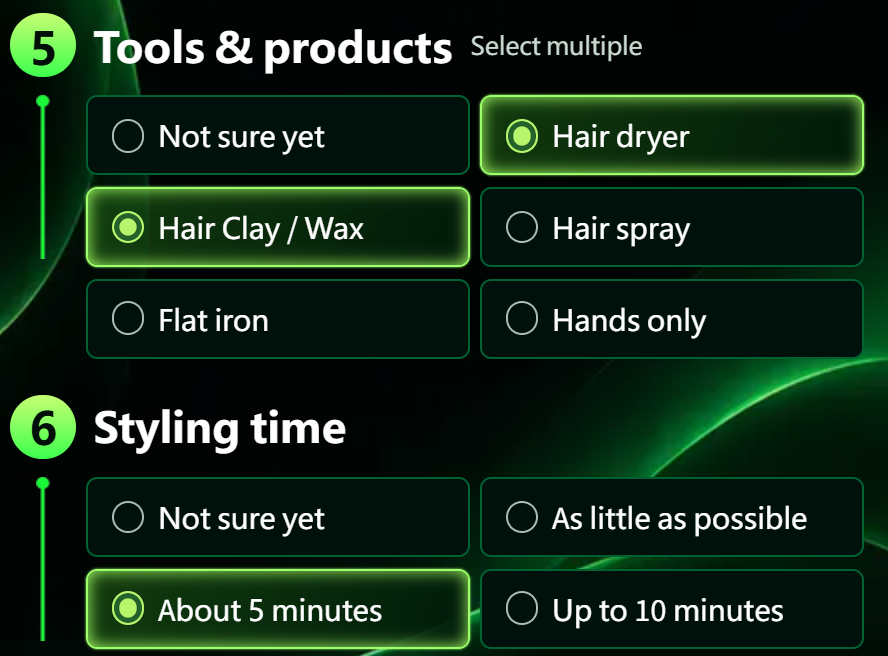
Figure 1. The live English card form shows styling tools and daily time. This example selects a hair dryer, clay or wax, and about five minutes; tools allow multiple selections.
Choose what reflects your actual routine. If you normally use a hair dryer and clay and are willing to spend about five minutes styling, record that. The time field describes the effort you are prepared to put in, helping you discuss a workable routine. If you are unsure about length or volume, the form also lets you ask the barber to advise.
Preview the card to check the wording, then use the save function to keep it as a PNG image. Your selections become readable conversation points. The card also includes reminders to confirm length, the side transition, and the neckline before cutting, and to ask for styling guidance afterward. You can open the saved image at your appointment and work through it together.
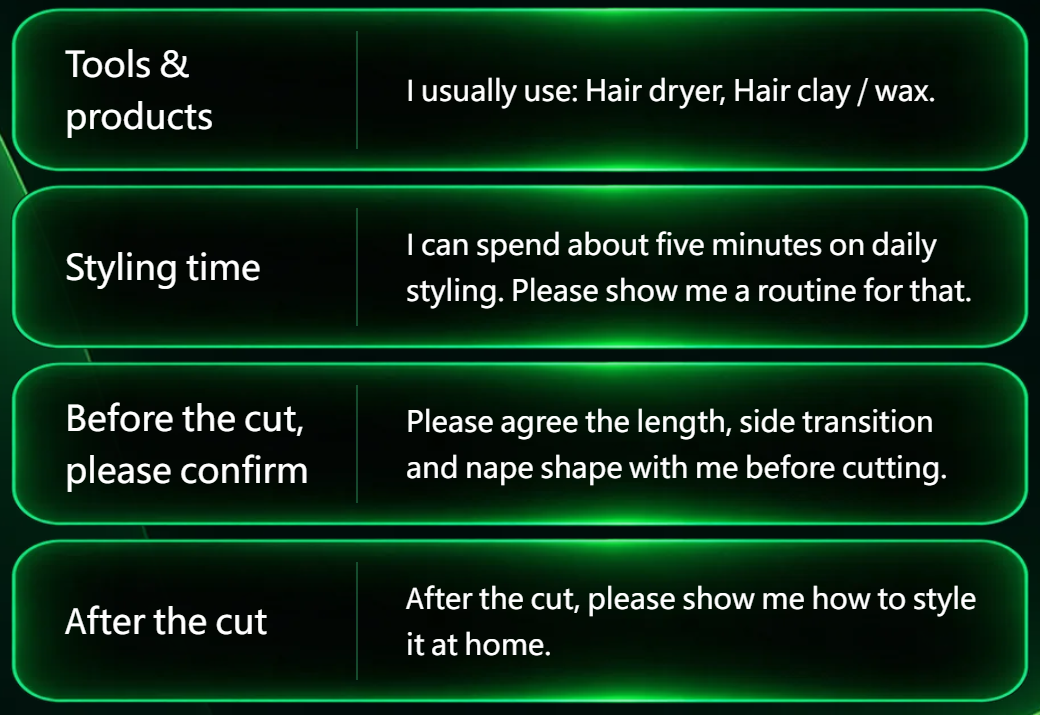
Figure 2. A lower-section crop of the card saved from the live English page shows tools, time, and before-and-after haircut discussion points. These are example selections.
The result gives a reference photo a more personal brief. The final haircut still needs to be agreed around your current hair. You can make a card directly, without completing an AI try-on first, or follow the card link from the try-on page when you are ready to prepare for that conversation.
Make your barber communication card:

- Reeleasy 本週上新與 4 部熱門短劇推薦
- Reeleasy Weekly Releases and 4 Short Drama Picks
- 別人騎掃帚他走路:反套路的笑點,是給熟練觀眾的
- The Scariest Thing in This Zombie Short Drama Isn't the Zombies — It's "Still Commuting After the Apocalypse"
- 末日短劇最嚇人的不是喪屍,是「末日了還要上班」
- An AI Short Drama Recreated the 1990s Santana — and Viewers Are Arguing About "Face"
- AI短劇拍出了90年代的桑塔納,觀眾吵的卻是面子帳
- The Barber Communication Card Is Live Prepare Your Haircut Preferences
- 理髮溝通卡正式上線 把想剪的細節整理給理髮師
- AI Hairstyle Try On Is Live Preview a New Style on Your Photo
全部评论