AI Hairstyle Try On Is Live Preview a New Style on Your Photo
AI hairstyle try-on is now live on Spiky Hairstyle Try On. Saving a haircut reference is useful, but it often leaves a question: how might that direction look on me? This update lets you move from choosing a reference to trying a hairstyle on your own photo, giving you something more concrete to review before a haircut.
Start in the hairstyle gallery. Browse the reference images or search for a hairstyle name, then open a style through its image or name. Look for the details you actually like, such as the fringe, top texture, or shape of the sides. Each gallery card also has a barber-card link for anyone ready to prepare their haircut preferences.
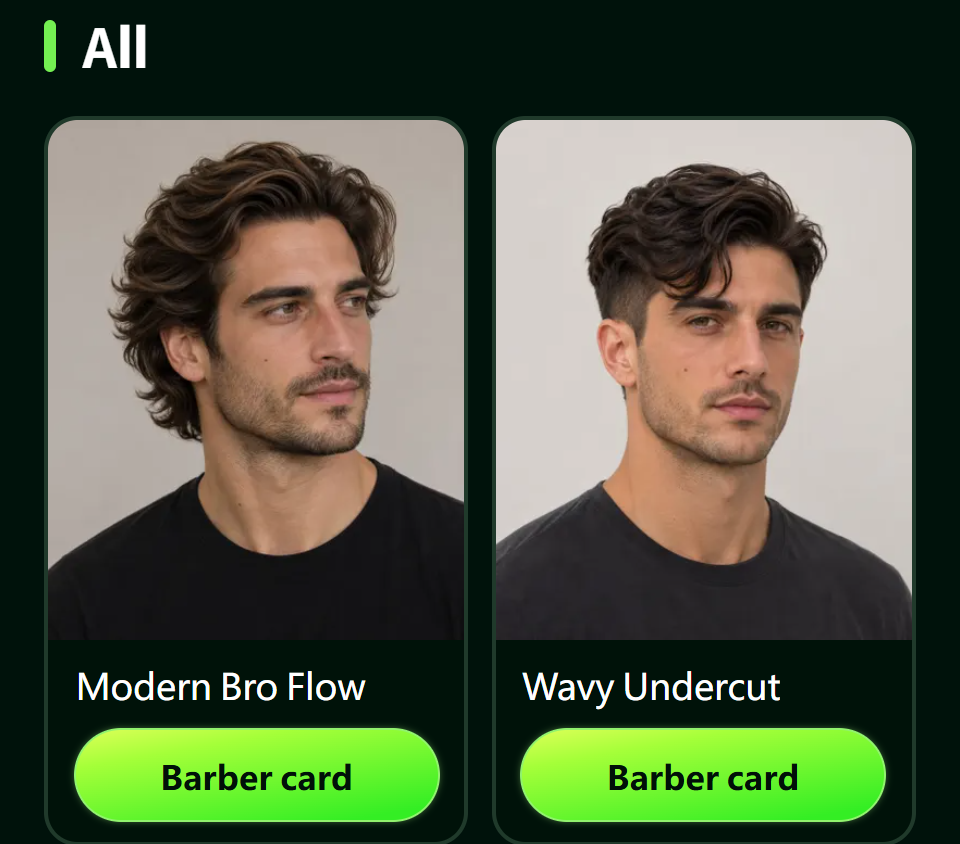
Figure 1. The live English gallery provides hairstyle references and separate links to barber communication cards.
The try-on page brings in reference information and a prefilled prompt for the selected style. It opens with a sample portrait. Use the change-photo control to replace it with your own image, then review the prompt before submitting. A photo with a clear view of your face and hair makes it easier to inspect the visual changes yourself.
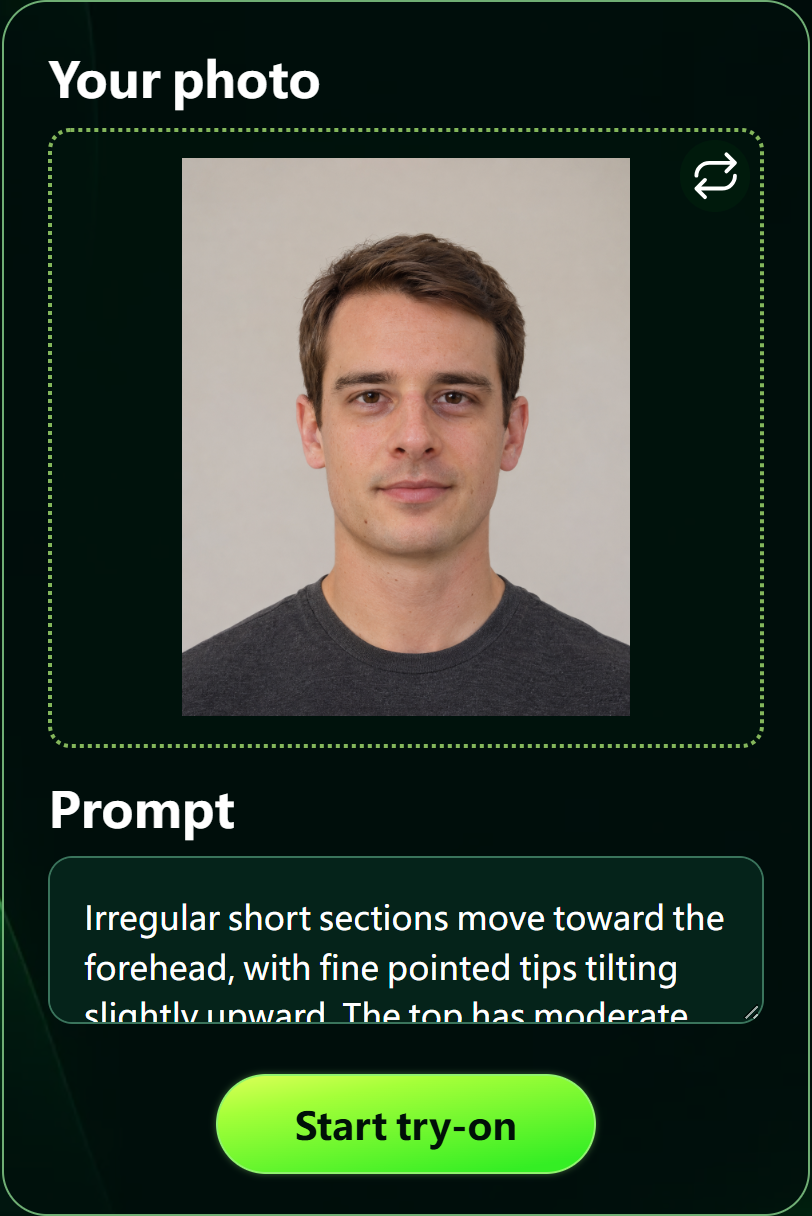
Figure 2. The live English try-on form contains the photo area, prompt, and submission button. The portrait shown is the website's built-in example; replace it before using your own photo.
Once the photo and prompt are ready, use the try-on button to submit. I want this feature to help turn a broad preference into details you can discuss: how much forehead is visible, how tall the style feels, and which parts of the silhouette you like. A real haircut still needs a conversation about your current length, hair texture, and growth direction.
The page also links to the barber communication card. When you have a direction in mind, you can organize your preferred lengths, sides, and styling habits there. The aim is to give you a useful next step after finding a hairstyle you like.
Choose a style and start here:
- 末日短劇最嚇人的不是喪屍,是「末日了還要上班」
- An AI Short Drama Recreated the 1990s Santana — and Viewers Are Arguing About "Face"
- AI短劇拍出了90年代的桑塔納,觀眾吵的卻是面子帳
- 理髮溝通卡正式上線 把想剪的細節整理給理髮師
- AI Hairstyle Try On Is Live Preview a New Style on Your Photo
- 京彩就业 | 般芸聚合秋招校园行:走进菁菁学府,与理想双向奔赴!
- AI 髮型試戴正式上線 先用自己的照片看看新髮型
- Checking Your Winter Layers Before You Freeze
- 爾濱下大雪,南方人穿搭太誇張?用AI試衣先看看上身效果
- How to Check a Jacket Look Before You Buy
全部评论